Moto Edge 60 Stylus Review
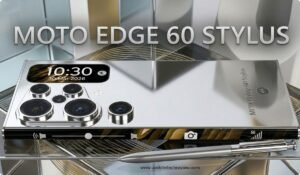
Hello friends! Today, we are going to talk about a specific smartphone—the Moto Edge 60 Stylus.
This phone is not merely “just another smartphone,” as it also features support for a stylus pen. Just imagine: taking notes with a pen, creating sketches, or writing directly on the screen—how cool would that be? If you are looking for a phone that offers an experience superior to the ordinary and allows for some creative work as well, then this article is for you.
Key Features of the Moto Edge 60 Stylus
Now, let’s take a detailed look at the significant aspects that make Moto Edge 60 Stylus phone stand out.
Moto Edge 60 Stylus Display and Design
This phone features a 6.67-inch pOLED display, which is a very generous size.
The screen resolution is approximately 1220 × 2712 pixels (1.5K), and it boasts a 120Hz refresh rate—meaning that scrolling and navigating the interface will feel incredibly smooth.
Gorilla Glass 3 has been utilized to provide screen protection.
For instance: When you wake up in the morning to browse Instagram or watch YouTube videos, everything will appear much clearer and smoother thanks to this large display and 120Hz refresh rate—offering an experience far superior to that of an older phone.
Moto Edge 60 Stylus Performance
The chipset powering this device is the Qualcomm Snapdragon 7s Gen 2—designed to deliver a fluid and seamless experience within this segment.
The RAM and storage configurations are also impressive—for example, it is available with 8GB of RAM and 256GB of storage.
In terms of software, the device runs on Android 15—meaning you get the very latest operating system.
Example: Suppose you pick up your phone in the morning, open multiple apps, engage in chats, and watch videos—this phone handles all these tasks with effortless ease. If you enjoy playing casual games or frequently multitask, you will definitely notice the difference in performance.
Moto Edge 60 Stylus Camera
The rear camera setup features a 50MP primary sensor, accompanied by an ultra-wide-angle lens.
The front (selfie) camera is also excellent, ensuring a great experience whether you are making video calls or snapping selfies. Example: Imagine you are out with friends taking photos—the ultra-wide lens will allow more people to fit into the frame, while the 50MP main camera will capture fine details. These are the moments where you will truly benefit.
Moto Edge 60 Stylus Support
The Highlight: This phone features support for an in-built stylus pen. This means you can write directly on the screen, take notes, and create sketches.
Example: Suppose you need to jot down some handwritten notes during a meeting, or sketch out an idea—you can simply pull out the pen and do it right on this phone, even while sitting in a park. You could call this “not just a phone, but a creative tool.”
Battery and Charging

The battery capacity is approximately 5000mAh.
Charging speed is also impressive: It supports 68W fast charging, and—in addition to wired charging—some models may also offer wireless charging capabilities.
Example: You leave home in the morning and use your phone throughout the day—watching videos, playing games, sketching—and by evening, you will still have plenty of battery life remaining. With older phones, you might have had to recharge it midway through the day.
Moto Edge 60 Stylus: Pros and Cons
Pros
- Stunning Display — Large size, 1.5K resolution, 120Hz refresh rate.
- Solid Camera Setup — 50MP main camera, improved front camera.
- In-built Stylus Pen — Ideal for creative tasks or note-taking.
- Balanced Performance and Modern Software — Handles everyday tasks with ease.
Cons
- If you engage in heavy gaming or intend to perform professional-level video editing, this phone may not be the “absolute top-tier” choice for you.
- The stylus feature may not be utilized by every user—if your usage is primarily casual or standard, this specific feature might not offer you any significant added benefit.
- Since the phone packs a stylus and other advanced features into a budget-friendly package, the price point might be slightly higher than basic models—therefore, it is advisable to evaluate it carefully within the context of your specific “budget” expectations.
Who is Moto Edge 60 Stylus for?
If you are a student, or a user whose primary activities involve taking notes, browsing social media, or sketching/drawing—then this phone would be highly suitable for you.
If you are looking for a phone that offers an experience “a little different” from just calls and chats—such as working with a stylus or writing directly on the screen—then this could be an excellent choice.
However, if your usage involves intensive high-end gaming, professional-grade photography, or video editing—you might want to explore other options that are more advanced in those specific areas.
Tips for Buying Moto Edge 60 Stylus
Choose your RAM + Storage variant carefully—for instance, the 8GB + 256GB model would be a superior choice.
Check for offers, bank discounts, and exchange deals—these can help bring down the final price.
Install a screen protector and back cover immediately upon unboxing—protection is especially crucial for phones equipped with a stylus.
Make use of the stylus—actively using it will significantly enhance your overall user experience.
Inquire about software updates and the service network—it is always a good idea to be informed about the service support status of the Moto brand.
Conclusion
So friends, today we took a look at everything the Moto Edge 60 Stylus has to offer—a large and high-quality display, a novel user experience powered by a stylus pen, and a balanced combination of performance, camera capabilities, and battery life. Simply put: if you are looking for a smartphone that goes “a step beyond just a call-and-chat device,” assists you with creative tasks, and provides the option of a stylus pen—then this phone could be an excellent choice. Yes, it does have certain limitations—particularly when it comes to pro-level gaming or extremely high-end editing tasks—but for everyday usage, it will certainly leave you satisfied.
You also read :-
- ASUS Zenbook 14 (UX425) Review: A lightweight, premium, and best-in-class laptop with long battery life!
- ASUS Zenbook Duo UX8407 2026 Review in English
- ASUS Zenbook S16 Review in English
- OnePlus 9 Review in English OnePlus 9 Specifications, Price & Features 2025
- The OnePlus Nord N10 5G features a 90Hz display
- OnePlus 9 Review in English OnePlus 9 Specifications
- Motorola G86 Review english – Display,
- OnePlus Nord CE 4 Lite 5G Review in English | Budget 5G phone, 120Hz display & 80W charging
- iPhone 14 Pro Max Review in English
- iPhone 15 Review – Camera, Display, Battery and Price
- Samsung Galaxy S25 FE Review | Fantastic Features, Powerful Camera, and Robust AI
- Why purchase it, a PS5 review in 2026? Best Features, Games, and Price Guide